How to Improve Smart Home Voice Recognition in a Noisy Room

Make smart home voice commands work better in busy rooms with practical placement, noise-control, network, and speaking adjustments that cost little.
As an Amazon Associate I earn from qualifying purchases.
Smart home voice recognition improves most when you reduce competing sound, move the speaker into a clearer listening position, and use the device’s voice-training or sensitivity settings. Start by relocating the speaker away from televisions, kitchen appliances, windows, and hard reflective surfaces. Then test commands from the places where you normally speak.
A noisy room does not always mean the microphone is defective. Music, fans, running water, multiple conversations, echoes, and a speaker placed inside furniture can all make it harder for a voice assistant to identify the wake word or understand the request. Work through the changes below one at a time so you can tell which adjustment helps.
Find out whether the problem is hearing or understanding
First, separate two symptoms that often look alike:
- The assistant does not respond: The microphone may not detect the wake word, the device may be muted, or the background noise may be masking your voice.
- The assistant responds incorrectly: It heard something but misinterpreted the words, a name, or the requested command.
- The response is slow or fails: The microphone may have heard you, but the device could be dealing with a network or service problem.
Test with a short, familiar command while standing fairly close to the speaker. If that works but the same command fails from across the room, placement and room acoustics are likely involved. If the device shows no sign of hearing you even nearby, check mute controls, power, software updates, and the companion app before changing the room.
Move the smart speaker to a better listening position
Placement is often the quickest improvement. Put the speaker in an open location with a clear path toward the area where people give commands. A shelf, counter, or table can work better than a crowded cabinet, an enclosed bookcase, or a corner behind decorative items.
- Keep the microphone openings unobstructed. Do not cover the device with fabric, baskets, or decorative objects.
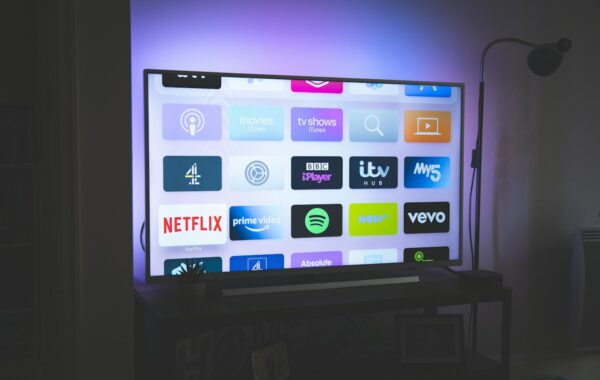
- Move it away from the television and soundbar. Audio coming from the same direction as the microphone can compete with your voice.
- Avoid placing it directly beside a fan, air purifier, range hood, dishwasher, or other steady noise source.
- Do not tuck it tightly into a corner. Nearby walls and hard surfaces can reflect sound and make speech less distinct.
- Choose a position near the center of the room or near the usual speaking area rather than at the far edge of the space.
Raise or lower the speaker as needed so furniture is not between it and the people speaking. A stable surface matters too: vibration from an appliance or a resonant shelf can add unwanted sound.
Reduce the noise that competes with your voice
You do not need a silent room. The goal is to make your speech more prominent than the background sound during the few seconds needed for a command.
- Pause music, television audio, or a podcast before giving an important command.
- Lower the volume of nearby speakers instead of shouting over them.
- Close a window or door if traffic, lawn equipment, or a loud HVAC unit is nearby.
- Move away from running water and turn off the garbage disposal before speaking.
- Ask one person at a time to use the assistant in a room with several conversations.
Some sounds are easy to overlook. A refrigerator may be quiet most of the time but louder during a cooling cycle. A range hood can overwhelm speech, and a television playing dialogue can be especially confusing because it resembles human speech. Test the assistant with each major noise source switched on and off to identify the biggest contributor.
Improve the room’s acoustics
Hard surfaces reflect sound. In a kitchen or open-plan living area, speech can bounce from cabinets, tile, glass, and bare walls before reaching the microphone. Those reflections can blur the words the device is trying to process.
- Add or use existing soft materials such as curtains, rugs, upholstered furniture, and fabric window treatments.
- Keep the speaker away from a large bare wall or glass surface when possible.
- Place the device on a surface that does not rattle or amplify vibration.
- Use room dividers or closed doors to reduce sound from adjacent spaces when practical.
These changes will not eliminate noise, and they are not a reason to permanently rearrange a room for one device. Even a small move away from a reflective corner can be worth testing before buying anything.
Speak in a way the assistant can separate clearly
Use the normal wake word, wait for the device’s listening signal, and then say one concise request. Speaking louder is not always better; a steady, clear voice is generally easier to distinguish than shouting. Face generally toward the device, especially when the room is loud, and avoid starting the command before the listening indicator appears.
Use the exact names configured for rooms, devices, routines, contacts, and services. If a name is frequently misunderstood, try a shorter or more distinct name in the smart home app. Similar names such as “hall light” and “wall light” can create confusion even when the microphone hears the words correctly.
Check voice settings, profiles, and software
Open the assistant’s companion app and review the settings that affect recognition. The labels differ by platform, but useful areas may include voice training, language and region, voice profiles, personal results, device names, and microphone or privacy controls.
- Confirm that the device is assigned to the correct home, room, and account.
- Check that the preferred language and regional settings match the way household members speak.
- Run any available voice-training process from a quiet location.
- Review the device’s mute switch or microphone privacy setting.
- Install available firmware or app updates, then restart the device if the problem continues.
Voice training may help the assistant become more familiar with a speaker, but it cannot fully overcome a television, fan, or strong echo. Treat it as one part of the fix rather than a replacement for good placement.
Check the network after fixing the microphone environment
A voice assistant can hear a request and still fail to complete it because of a connection problem. If the wake response is normal but the answer is delayed, incomplete, or missing, check whether other smart home devices and internet services are also slow.
- Confirm that the speaker is connected to the intended Wi-Fi network.
- Restart the speaker and, if needed, the home router according to the manufacturer’s instructions.
- Notice whether failures happen only in a distant room or at busy times.
- Move the speaker temporarily closer to the router only as a test; do not assume this is a permanent solution.
Network troubleshooting will not solve missed wake words. It is most relevant when the device visibly responds to you but cannot finish the request.
Mistakes that can make recognition worse
- Do not place the speaker inside a cabinet or behind objects to hide it.
- Do not cover microphone openings while cleaning or decorating.
- Do not test five changes at once; you will not know what worked.
- Do not repeat the wake word rapidly or begin speaking before the listening signal.
- Do not assume a louder voice fixes an echo-filled room.
- Do not change device names repeatedly without updating routines and household instructions.
When another solution is needed
If recognition remains poor after placement, noise, settings, and network checks, compare the device in a quiet room. Persistent problems in every location may indicate a blocked or damaged microphone, a software issue, or an account configuration problem. Consult the manufacturer’s support documentation rather than attempting to open the device.
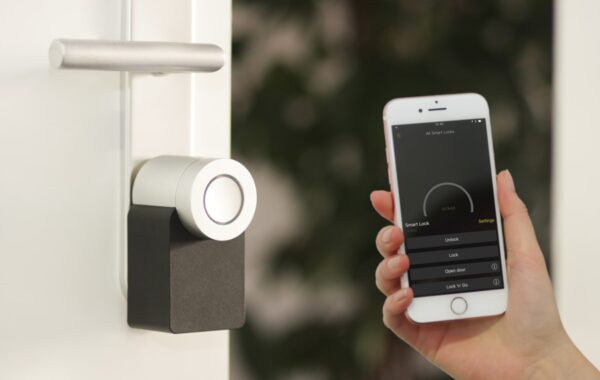
For a large or consistently noisy home, one speaker may not be the best setup. A second voice-enabled device located closer to the usual speaking area can reduce the distance and background noise each microphone must handle. Alternatively, use the phone app, a physical control, or an automation schedule for tasks that must work reliably during loud activities.
FAQ
Why does my smart speaker hear me only when I stand close?
Distance, competing sound, speaker placement, and room reflections can all reduce recognition. Move it into the open, reduce nearby noise, and test from the normal speaking locations.
Will a louder voice improve voice recognition?
It may help briefly, but shouting can distort speech and does not remove background noise. A clear, steady voice after the listening signal is usually a better approach.
Why does the assistant respond to the television?
Television dialogue and wake words can reach the microphone as if someone in the room said them. Lower the TV volume, move the speaker farther away, or pause the TV before using a command.
Conclusion
Better voice recognition usually starts with the room, not a new device. Put the speaker in an open, stable position; separate it from televisions and appliances; soften excessive echoes; then review voice, privacy, software, and network settings. Make one change at a time and test the commands you actually use. If the assistant still struggles everywhere, switch to another control method or seek platform support.
 ✓