As an Amazon Associate, I earn from qualifying purchases.
Managing an Airbnb can be a rewarding yet demanding venture, and one of the biggest logistical hurdles is key handover. Gone are the days of hiding keys under doormats or dealing with clunky lockboxes that guests struggle to open in the dark. Upgrading to a smart lock isn’t just about convenience; it’s about providing a seamless, secure, and modern check-in experience that sets the tone for a five-star stay.
As someone who has managed multiple short-term rentals, I can confidently say that investing in the right smart lock is one of the highest-ROI decisions you can make. The ability to generate unique access codes for each guest, monitor when they arrive, and revoke access remotely gives you unparalleled peace of mind. But with so many options on the market, finding the perfect fit for your property can be overwhelming. After extensive real-world testing and troubleshooting, I’ve compiled this list of the 8 best smart locks for Airbnb hosts to help you streamline your hosting operations.
1. Schlage Encode Smart WiFi Deadbolt

In my experience, the Schlage Encode is the gold standard for short-term rental properties. What truly sets this lock apart is its built-in Wi-Fi, meaning you don’t need a separate, often finicky bridge to connect it to your network. It’s built like a tank and designed to withstand the wear and tear of constant guest turnover.
Pros:
- Built-in Wi-Fi eliminates the need for an external hub.
- Exceptional build quality and ANSI/BHMA Grade 1 security rating.
- Seamless integration with the Schlage Home app and Amazon Alexa.
- Keypad is highly responsive and easy for guests to use.
Cons:
- Requires a strong Wi-Fi signal at the door to function reliably.
- Can drain batteries a bit faster than non-Wi-Fi models.
When I first installed the Schlage Encode on one of my high-traffic rentals, the immediate difference was the absolute reliability. Guests rarely, if ever, called with issues trying to get the code to work. The illuminated keypad is incredibly intuitive, meaning even less tech-savvy travelers can figure it out upon arrival without needing a tutorial.
Another massive advantage for hosts is the straightforward code management system. You can easily create and delete up to 100 unique access codes from anywhere in the world. I often set codes to activate at check-in time and expire exactly at checkout, ensuring that previous guests can’t re-enter the property. While you’ll want to keep spare batteries handy, the peace of mind this lock provides is worth its weight in gold.
2. August Wi-Fi Smart Lock (4th Generation)

If you live in a complex with strict HOA rules or you’re renting out a property where changing the exterior hardware is prohibited, the August Wi-Fi Smart Lock is a lifesaver. After testing this on an apartment rental, I was thrilled with how it retrofits over the existing deadbolt on the inside of the door.
Pros:
- Keeps your existing exterior lock and physical keys.
- Extremely compact design that doesn’t look obtrusive.
- Auto-unlock feature is fantastic for hosts carrying cleaning supplies.
- Native Wi-Fi connectivity built right in.
Cons:
- Requires an optional keypad (sold separately) for pin-code access.
- Battery life is relatively short due to the built-in Wi-Fi.
The beauty of the August system for Airbnb hosts is its subtlety. From the outside, the door looks completely normal, which is often a requirement for condos and townhouses. Guests can still use a physical key if you choose to provide a backup lockbox, but the real magic happens in the app or via the add-on keypad.
I highly recommend pairing this lock with the August Keypad for your Airbnb setup. While app-based unlocking is cool, forcing guests to download an app to enter your property can cause friction. With the keypad installed discretely near the door, you get the best of both worlds: invisible interior tech and simple, code-based entry for your visitors. The DoorSense technology, which tells you if the door is actually closed and not just locked, is an invaluable feature that has saved me from security scares more than once.
3. Yale Assure Lock 2

Yale has long been a trusted name in security, and the Assure Lock 2 brings their expertise beautifully into the smart home era. What strikes me most about this model is its sleek, modern aesthetic. It manages to pack robust functionality into a footprint that is significantly smaller than its predecessor.
Pros:
- Very sleek and compact design enhances your entryway’s curb appeal.
- Available in key-free touchscreen or physical button keypad options.
- Excellent integration with Apple HomeKit, Google Home, and Alexa.
- Modular smart modules allow you to upgrade connectivity later.
Cons:
- The Wi-Fi module version can be quite harsh on battery life.
- Installation can be slightly more involved than simpler retrofits.
For high-end or boutique Airbnbs, the visual appeal of the door hardware matters, and the Yale Assure Lock 2 delivers a premium feel. During my time testing it, the touchscreen was highly responsive, waking up instantly with a touch. I particularly appreciate the key-free design; it completely eliminates the risk of a lock being picked or bumped, adding an extra layer of security against unauthorized entry.
The app interface is clean and allows for detailed user management. You can track exactly when the cleaning crew arrives and when guests check out. One caveat I’ve noticed is that if you opt for the Wi-Fi module, you need to stay on top of battery replacements. However, the lock gives plenty of low-battery warnings, and there’s a 9V battery terminal on the bottom to jumpstart it if it ever dies completely while a guest is arriving. It’s a thoughtful failsafe that proves Yale understands real-world hosting anxieties.
4. Eufy Security Smart Lock Touch & Wi-Fi
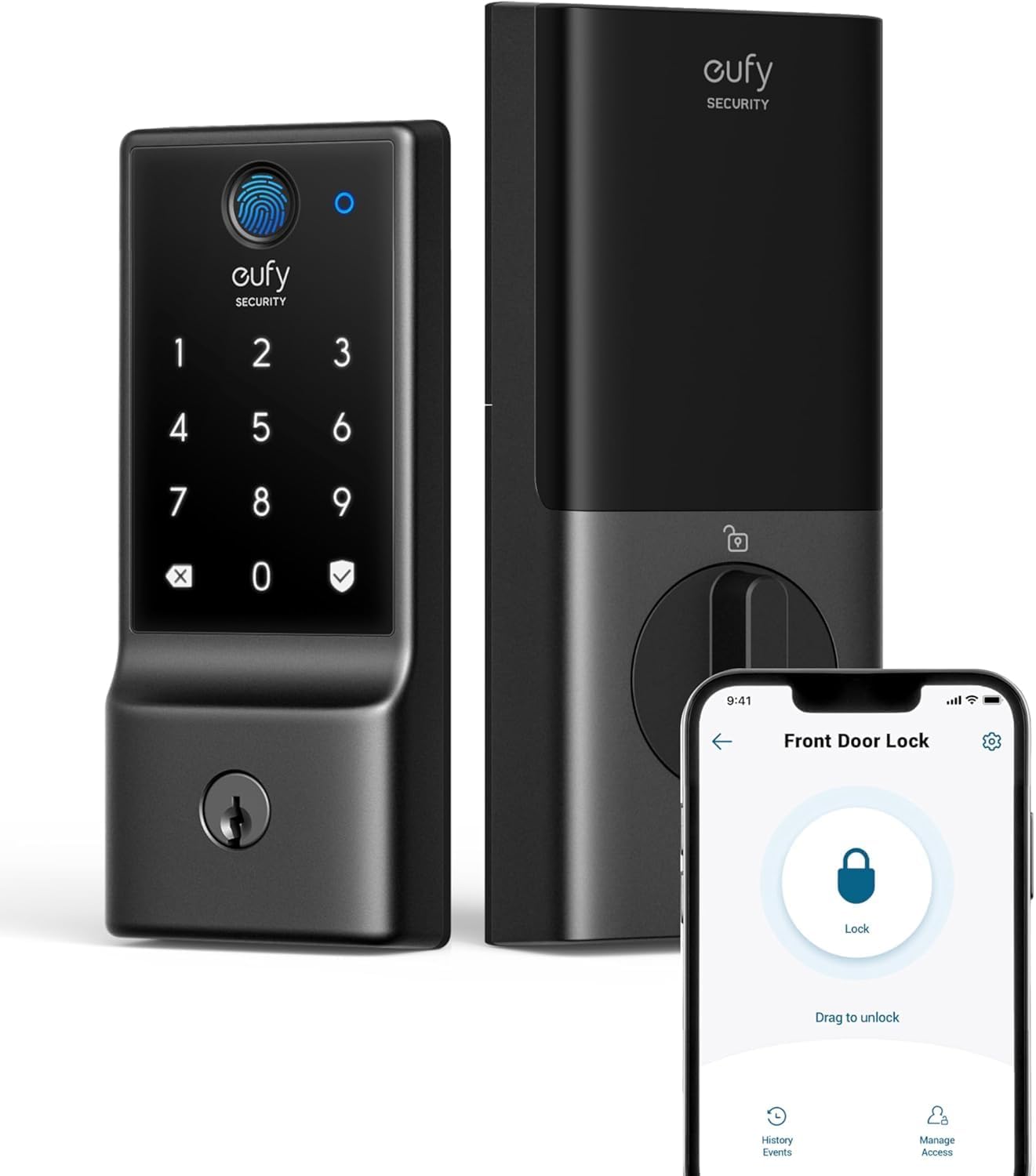
If you’re looking for versatility, the Eufy Smart Lock Touch & Wi-Fi is a powerhouse. After installing this on a coastal rental property, it quickly became a favorite for its sheer number of unlocking methods. Having options is key to ensuring guests never get locked out, and Eufy provides them in spades.
Pros:
- Multiple ways to unlock: fingerprint, keypad, app, or physical key.
- Lightning-fast fingerprint recognition is incredibly convenient.
- IP65 weatherproof rating stands up well to harsh environments.
- No hidden subscription fees for the app or basic features.
Cons:
- The fingerprint scanner can sometimes struggle with wet fingers.
- The exterior hardware is a bit bulky compared to other sleek models.
While most hosts will rely heavily on the PIN code feature for guests, the fingerprint scanner is an absolute game-changer for you, your co-hosts, or your regular maintenance staff. The recognition is impressively fast, unlocking the door in a fraction of a second. This makes hauling laundry or supplies inside significantly easier when your hands are full.
Eufy’s build quality is robust, and its weather resistance gives me confidence in using it even in areas prone to heavy rain or snow. From an administrative standpoint, the Eufy app is straightforward and doesn’t nickle-and-dime you with monthly subscription costs just to manage access codes remotely. It’s a solid, heavy-duty option that provides multiple layers of redundancy, making it a reliable workhorse for busy properties.
5. Ultraloq U-Bolt Pro WiFi Smart Lock
The Ultraloq U-Bolt Pro WiFi is perhaps the most feature-packed lock on this list, offering a unique “6-in-1” keyless entry system. In my testing, it proved to be a highly adaptable solution that caters to practically every entry preference imaginable, making it incredibly flexible for diverse guest demographics.
Pros:
- Incredible versatility with fingerprint, code, app, auto-unlock, magic shake, and key access.
- Built-in Wi-Fi means remote management is seamless out of the box.
- Anti-peep keypad allows you to add random digits before your code.
- Compact, circular design fits on almost any standard door.
Cons:
- The sheer number of features can make the initial app setup feel cluttered.
- Auto-unlock relies heavily on your phone’s GPS accuracy, which can vary.
One of the standout features for an Airbnb setting is the anti-peep keypad. Guests can type random numbers before and after their actual access code, and the lock will still open. This is brilliant for urban rentals or shared hallways where guests might feel anxious about someone looking over their shoulder. The tactile rubber buttons are also very responsive and easy to press, even when wearing gloves in the winter.
The integration of the fingerprint scanner right on the dial is a clever piece of engineering that keeps the footprint surprisingly small. While guests will primarily use the PIN codes, I found the “magic shake” feature—which unlocks the door when you shake your smartphone nearby—to be a fun party trick for myself, though perhaps too complex to explain to short-term renters. For sheer utility and comprehensive access control, the Ultraloq U-Bolt Pro is hard to beat.
6. Wyze Lock WiFi Smart Lock

Wyze has made a name for itself by offering high-quality smart home gear at highly accessible price points, and their Smart Lock is no exception. If you are managing a portfolio of properties and need to keep setup costs manageable without sacrificing core functionality, the Wyze Lock is an excellent choice.
Pros:
- Extremely budget-friendly without feeling cheap.
- Retrofit design keeps the exterior hardware intact.
- Built-in gyroscope detects if the door is left ajar.
- Includes the required Wi-Fi gateway in the box.
Cons:
- Like the August, it requires a separate keypad for PIN entry (highly recommended for Airbnb).
- The motor can be noticeably loud during operation.
Similar to the August system, the Wyze Lock replaces only the interior thumb latch of your existing deadbolt. The installation process is wonderfully simple; I had one up and running in under 15 minutes with just a screwdriver. The included Wi-Fi gateway plugs into a nearby outlet and provides a surprisingly stable connection for remote management.
The built-in gyroscope is a brilliant, cost-saving addition. Instead of requiring a separate door sensor, the lock inherently knows if the door is open or closed, sending you an alert if a guest accidentally leaves it wide open. To make this work for an Airbnb, you absolutely must purchase the Wyze Lock Keypad add-on. Once paired, it transforms this budget-friendly retrofit into a formidable, easy-to-use access system that rivals locks that cost twice as much.
7. Kwikset Halo Wi-Fi Smart Lock
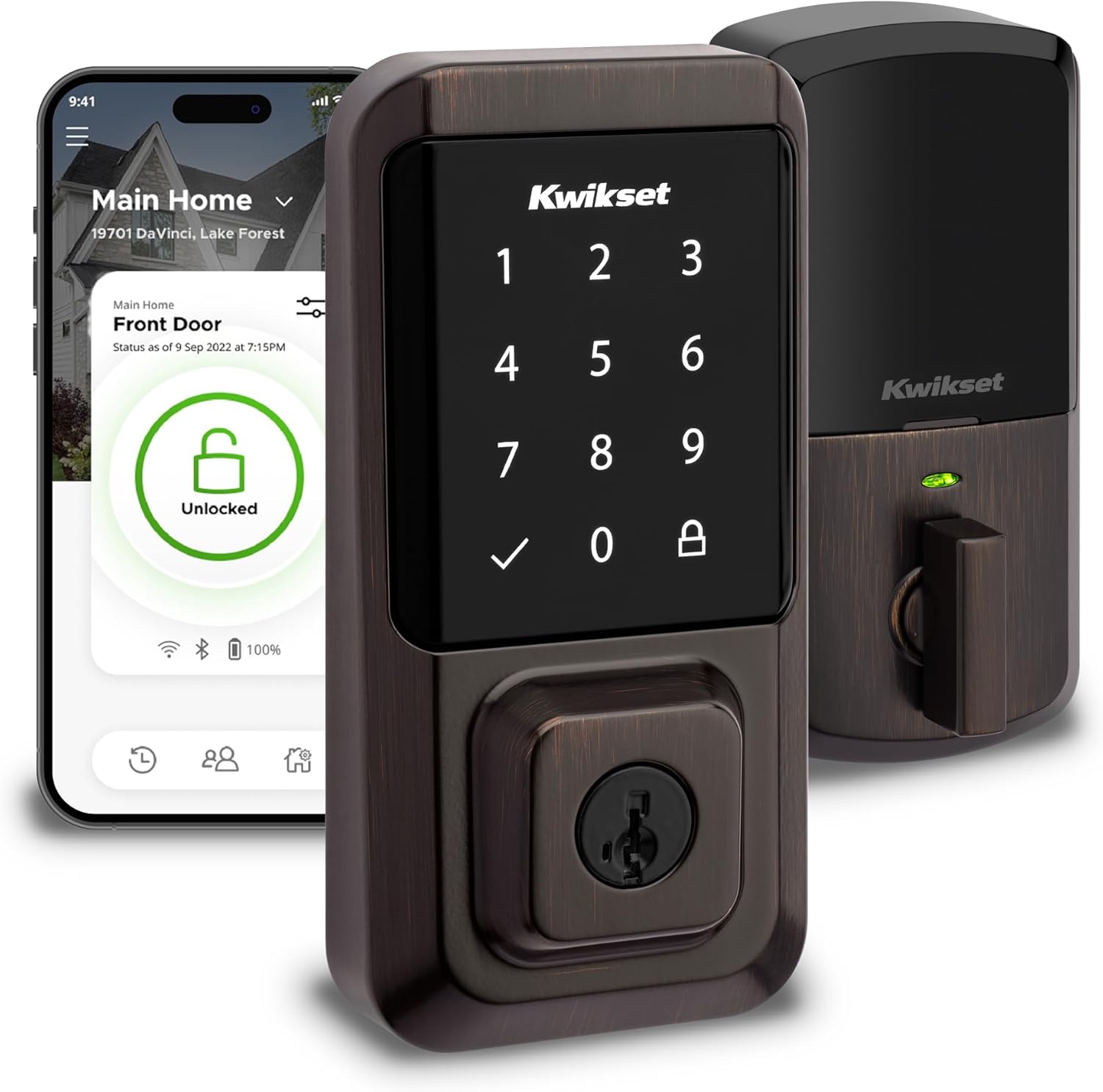
Kwikset is a household name in lock hardware, and the Halo Wi-Fi Smart Lock is their flagship entry into the modern hosting space. Having used Kwikset hardware for years on traditional rentals, I found the transition to the Halo to be incredibly smooth, offering familiar reliability combined with essential smart features.
Pros:
- Connects directly to your home Wi-Fi with no hub required.
- Features SmartKey Security, allowing you to re-key the physical lock in seconds.
- Provides highly detailed audit trails and event logs in the app.
- Available in both touchscreen and traditional keypad variations.
Cons:
- The Kwikset app can occasionally be slow to sync updates.
- Can be bulky on the interior side of the door.
The standout feature of the Kwikset Halo for property managers is undoubtedly the SmartKey Security technology. If you ever lose a physical backup key, or simply want to change the lock cylinder for security reasons, you can re-key the lock yourself in less than a minute using the included tool. This eliminates the need to call a locksmith, saving both time and money.
The lock allows for up to 250 custom user codes, which is more than enough for a busy Airbnb rotating through guests, cleaners, and maintenance staff. The app provides a very clear history of who unlocked the door and when, which is crucial for verifying cleaner arrivals or settling disputes about checkout times. While the app interface isn’t the most flashy, it focuses on utility and gets the job done effectively.
How to Choose the Best Smart Lock for Your Airbnb
Selecting the right smart lock is crucial for a smooth hosting experience. Not all locks are created equal, and the specific needs of your property will dictate the best choice. Here are the key factors you should consider before making a purchase.
1. Connectivity: Wi-Fi vs. Bluetooth
For an Airbnb, remote management is non-negotiable. You need to be able to create, delete, and monitor access codes from anywhere. Locks with built-in Wi-Fi (like the Schlage Encode or August Wi-Fi) connect directly to your router, making them incredibly convenient. Bluetooth-only locks require a separate Wi-Fi bridge or hub plugged into a nearby outlet to communicate over the internet. While built-in Wi-Fi is easier to set up, it often drains batteries faster than a bridge-based system.
2. Entry Methods and Redundancy
The cardinal rule of hosting is that guests should never be locked out. Relying solely on an app for entry is a recipe for disaster with less tech-savvy travelers. Always prioritize a lock with a physical keypad. Keypads are universally understood and require no smartphone battery or app downloads. Additionally, having a backup physical keyway or external battery terminals (like the Yale Assure) ensures that you have a fallback if the smart lock batteries die completely.
3. Integration and Automation
Consider how the smart lock fits into your broader property management ecosystem. Many advanced smart locks integrate directly with Airbnb, VRBO, or third-party property management software (PMS). These integrations can automatically generate a unique door code for a guest when they book and automatically delete the code at checkout time. This hands-off automation saves countless hours of manual data entry and drastically reduces the chance of human error.
4. HOA Rules and Retrofitting
If you own a condo or are subject to strict Homeowners Association (HOA) regulations, you may not be allowed to change the exterior appearance of your door. In these cases, retrofit locks like the August or Wyze, which only replace the interior thumb turn, are essential. They allow you to add smart functionality while keeping the outside hardware compliant with neighborhood rules.
Leave a Reply